Reset your Password
How to Reset your Password
-
Go to https://[sitename]/user in your browser's menu bar
-
Below the navigation menu, find and click the "Reset your password" text
Image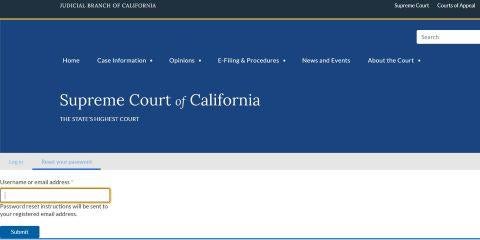
-
Enter in your username or email address associated with your username and click the "Submit" button
Image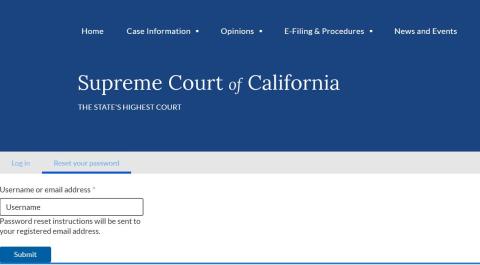
-
Observe the message that appears below the navigation menu
If the message says "Further instructions have been sent to your email address." you should receive a password reset link in your associated email account. This link will provide a one-time login for your account and direct you to a page to reset your password.
-
If you receive an error message, verify you have entered a valid username or email address associated with the site. If you still encounter an error, contact your site administrator.